Team roles and what each role can do
Every person on your StackJack team has a role, and the role decides which parts of the account they can manage. This page is the definitive capability matrix — use it whenever you're deciding what role to give a teammate.
The four roles
| Role | How many | What it means |
|---|---|---|
| Primary Owner | Exactly one | The account's anchor: billing contact and identity-provider owner. Created with the account; changes only through an explicit ownership transfer. |
| Co-owner | Any number | Full account control, identical to the Primary Owner for day-to-day management — including billing and ownership changes. |
| Administrator | Any number | Manages everything operational — connectors, subscriptions, AI-agent credentials, and the team — but cannot touch account billing or ownership. Their own AI-assistant tool set can still be restricted by an owner. |
| Member | Any number | No management access. Members connect their AI assistants and use only the tools an admin has assigned to them. |
Capability matrix
| Capability | Primary Owner / Co-owner | Administrator | Member |
|---|---|---|---|
| Configure connectors (credentials, settings) | ✔ | ✔ | ✘ |
| Manage connector subscriptions (upgrade, cancel) | ✔ | ✔ | ✘ |
| Manage MCP clients and API keys | ✔ | ✔ | ✘ |
| Manage the team (invite, approve, edit tools, suspend) | ✔ | ✔ | ✘ |
| Manage account billing | ✔ | ✘ | ✘ |
| Grant/remove co-owners, change roles, transfer ownership | ✔ | ✘ | ✘ |
| Connect an AI assistant and use assigned tools | ✔ (always all tools) | ✔ (assigned tools) | ✔ (assigned tools) |
Two rules worth memorizing:
- Only owners always have every tool. Tool restrictions apply to Members and Administrators — an owner can scope an Administrator's AI-assistant tools with Edit Tools just like a Member's. (An Administrator promoted from an unrestricted member keeps unrestricted tools until someone edits them.)
- Ownership and billing are owner-only. An Administrator can run the whole operation but can never change who owns or pays for the account.
A few in-app messages still say "only the account owner can manage team access." That text is outdated — co-owners and Administrators can manage the team exactly as shown above.
Where roles appear in the portal
Roles live on the Team page (Team in the left sidebar):
- Each member row shows a role badge — Owner, Administrator, or Member.
- An "Understanding team roles" legend card on the same page summarizes what each role can do.
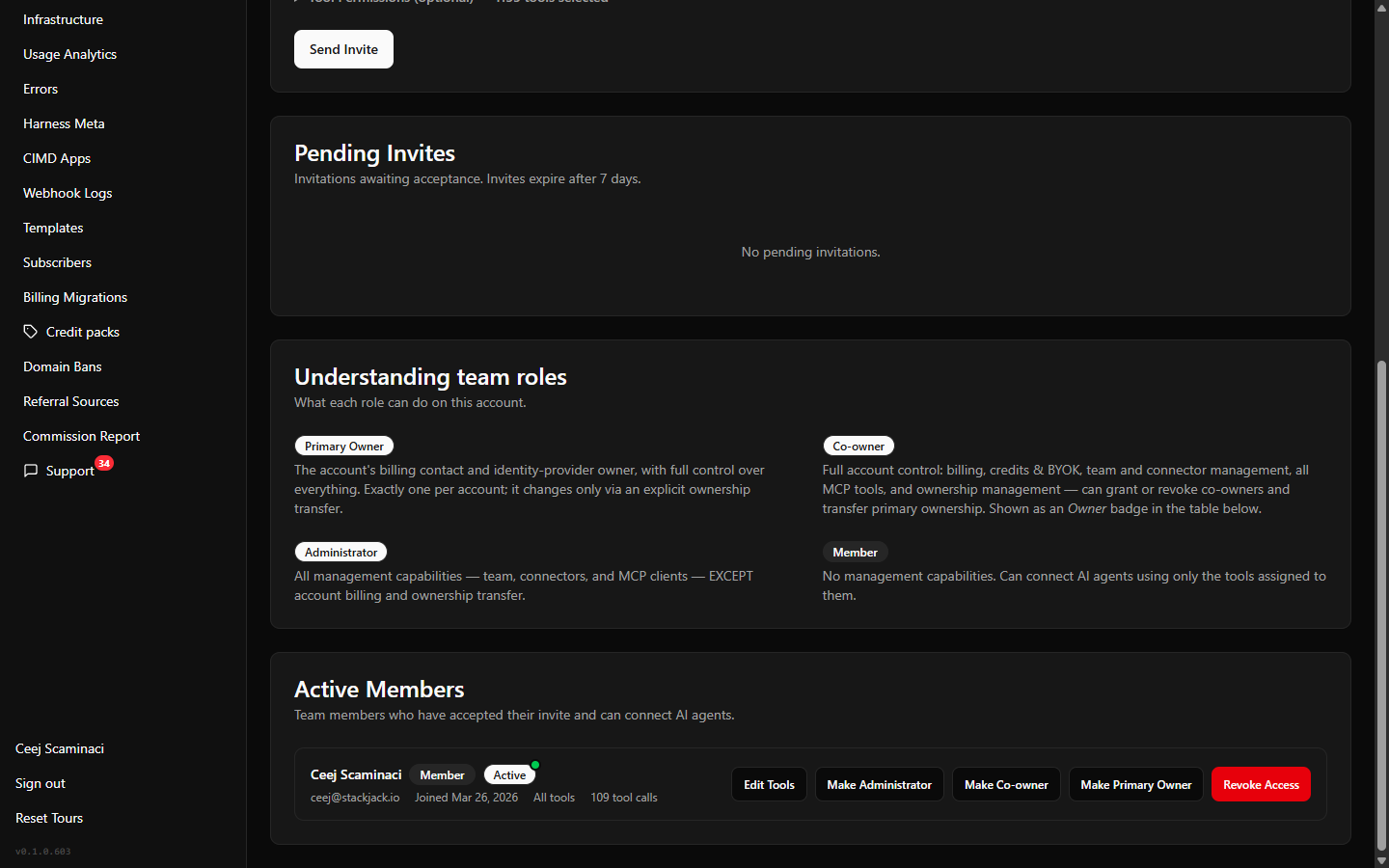 The Team page "Understanding team roles" legend card showing the Primary Owner / Co-owner / Administrator / Member descriptions
Roles vs. tool assignments
Roles and tool assignments are separate dials:
- A role controls what someone can do in the portal (manage connectors, billing, the team).
- A tool assignment controls what a Member's or Administrator's AI assistant can do through StackJack (which connector tools their agent may call). Owners cannot be tool-restricted.
For example, a Member with only HaloPSA read tools assigned can ask their AI assistant about Halo tickets but cannot see billing, change connectors, or call any other connector's tools. Changing a Member's tools is covered in Managing members.
Choosing the right role
- Give Administrator to anyone who runs your MSP tooling day to day but shouldn't control payment or ownership.
- Reserve Co-owner for people who genuinely need billing and ownership powers — it is full control, including the ability to remove other owners.
- Keep everyone else a Member with a scoped tool assignment.