BYOK — Using Your Own Anthropic Key
BYOK (Bring Your Own Key) lets your tenant supply its own Anthropic API key. With BYOK, your agents run in your own Anthropic workspace on your key — Anthropic bills you directly, and no credits are deducted for runs. Builder AI features (wizard chat, AI-assist suggestions, token counting) are also free of credit charges for BYOK tenants, but they run on StackJack's own key — StackJack absorbs that cost. Your key is used only for actual agent runs.
Who can use BYOK
BYOK is an Enterprise-plan capability, enforced server-side when you upload the key. Your effective plan is the highest tier across your active connector subscriptions.
Setting up your key
Only the tenant owner can set, replace, or remove the key.
- Go to the Credits tab of the Automations area in the portal and find the Anthropic API key (BYOK) card (shown for Enterprise tenants).
- Paste your Anthropic API key. It must start with
sk-ant-. - Save. The key is stored in Azure Key Vault and is never displayed again in the portal — you can replace or remove it, but not view it.
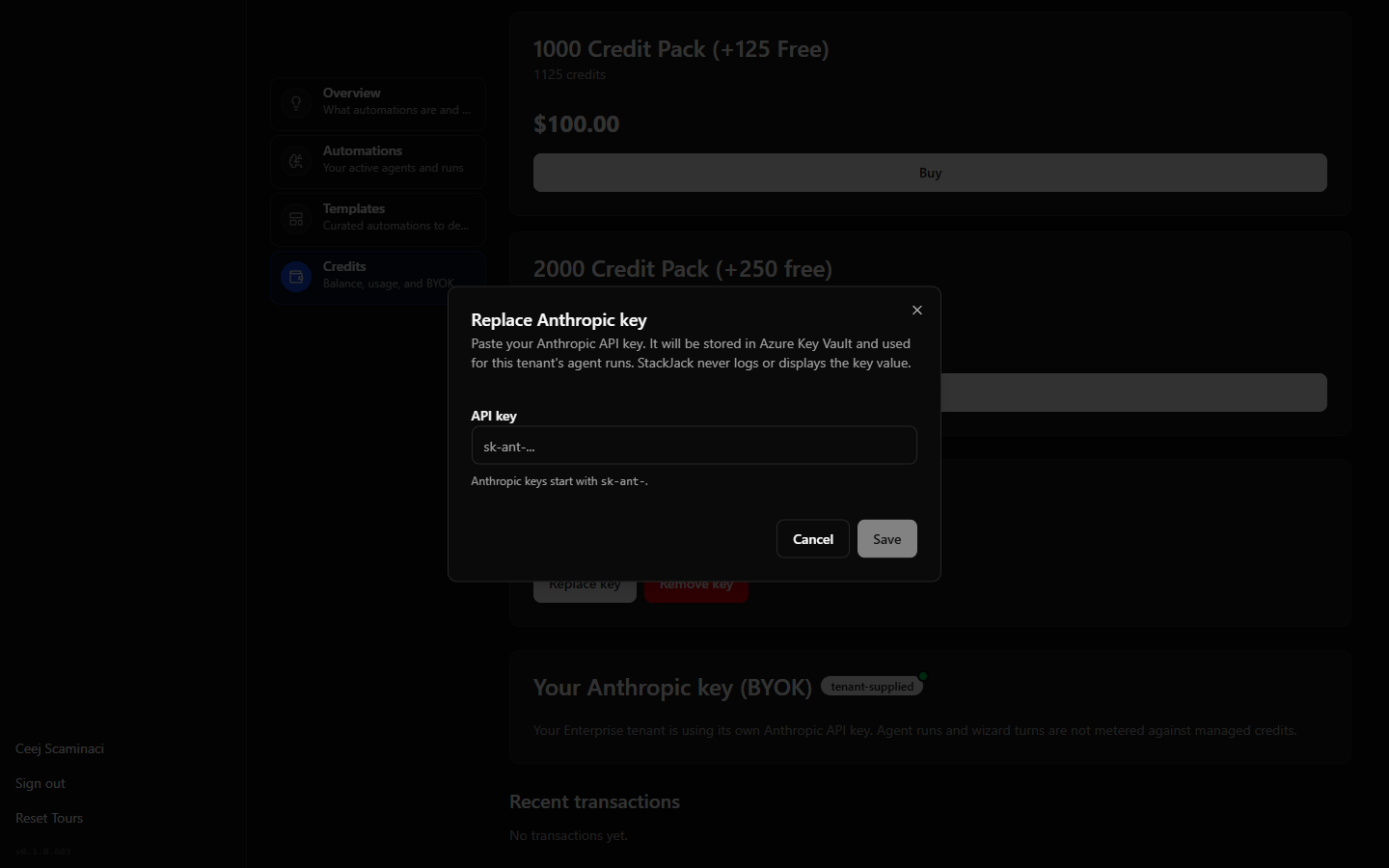 BYOK card on the Credits tab with the key entry field
Removing the key reverts your tenant to managed (credit-metered) billing for all subsequent runs.
What changes for runs
With a BYOK key in place:
- Your workspace, your key. Agents, their execution environments, and every run session are created in your Anthropic workspace using your key — including transcript fetches.
- Zero credits. BYOK runs skip the pre-flight credit check and reservation entirely. There's no balance requirement to start a run.
- Audit trail preserved. Your credit transaction history still records a zero-amount "BYOK run" entry per run, with approximate usage noted, so run activity remains auditable even though nothing is charged.
- Most guardrails still apply. Runtime caps, tool allow-lists, dry-run mode, and consent are unchanged. The max credits per run cap does not apply to BYOK runs — credit metering is skipped entirely, so there is no mid-run credit check or credit-based wrap-up. Use the runtime cap to bound BYOK run length (and cost on your Anthropic bill).
What changes for the builder and wizard
Nothing is charged, and nothing else changes:
- Wizard chat turns, AI-assist suggestions, and token counting cost 0 credits for BYOK tenants.
- These builder features run on StackJack's platform key (StackJack absorbs the cost) — your key is reserved for agent runs only.
- Feature behavior is identical to metered tenants; only billing differs.
Automations created before you added your key
An automation provisioned before your BYOK key was saved lives in StackJack's platform workspace, and its runs would not line up with your workspace. If you added a BYOK key after creating automations, contact StackJack support to migrate them — StackJack has a repair operation that re-provisions existing automations into your Anthropic workspace, individually or all at once.
Frequently asked
Does BYOK change which models or tools my automations can use? No. Model selection, tool allow-lists, and plan-based tool gating are identical. Native Anthropic capabilities (web search, web fetch, code execution) are configured per agent and are never plan-gated for anyone.
Do StackJack staff runs use my key? Staff-initiated diagnostic runs never charge your credits regardless of BYOK. Run execution for your tenant uses your workspace configuration.
What happens if I remove my key while automations exist? Subsequent runs revert to managed credit billing (reservation + reconciliation). Contact support if you plan to remove a key permanently so your automations' workspace placement can be reviewed.