Create a free account
A free StackJack account needs no credit card. You create one in the portal at https://portal.stackjack.io/signup, and the result is a workspace of your own with you as the owner, ready for your first sign-in.
Signing up activates no connector plans up front — the first MSP tool you connect in the portal automatically activates its own Free plan at that moment, so there is nothing to pick during signup. Nothing is pre-paid — free plans never require a card.
Signup needs a work email address. Consumer and disposable email domains — Gmail, Outlook.com, temporary-inbox services, and the like — can't be used to create an organization, so use the address your organization gave you. If your organization already has a StackJack workspace, signing up won't create a second one; ask an administrator on your team to invite you instead. The form also includes a quick human-verification step to keep automated signups out.
Sign up in the portal
- Go to
https://portal.stackjack.io/signup. - Fill in the three fields:
- Company Name — becomes the name of your StackJack workspace.
- Admin Name — your own name (you become the account owner).
- Email — where your account-setup email is sent, and your sign-in identity.
- Select Create Account.
- Check your inbox. Two emails arrive: a welcome email from StackJack and a password-setup email from StackJack's identity service (it arrives as a password-reset message from a
zitadel.cloudaddress — that is expected). Use the setup link in the password-setup email, then continue to your first sign-in.
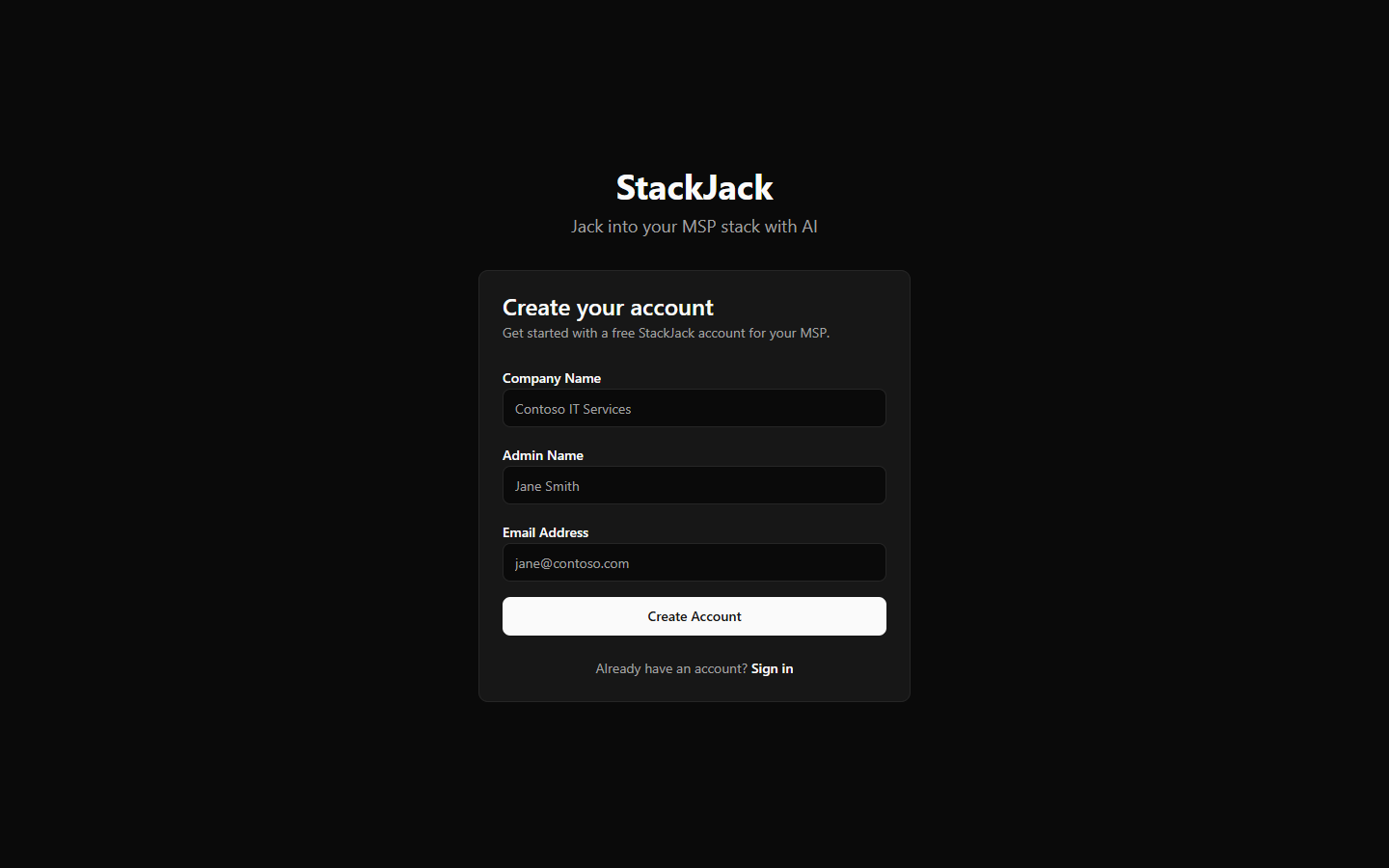 The blank /signup form showing the Company Name, Admin Name, and Email fields with the Create Account button
What each signup result means
| What you see | What happened | What to do |
|---|---|---|
| Success — "check your email" | Your account was created and a setup email is on its way. | Open the email and set your password. If it does not arrive within a few minutes, use Forgot password on the sign-in page. |
| Success with a warning that the setup email could not be sent | Your account exists, but the setup email failed to send. | Go to the sign-in page and use Forgot password to set your password. |
| "An account with this email already exists" | Someone (probably you) already signed up with this address. | Use the sign-in link instead. |
| "Signups from this domain are not available" | Your email domain is not eligible for free signup. | Contact support@stackjack.io if you believe this is a mistake. |
| A provisioning error asking you to contact support | Account creation hit an unexpected problem partway through. | Contact support — do not submit the form again. |
What you get with a free account
- Your own StackJack workspace (tenant) with you as the account owner.
- Access to the full portal: connect MSP tools, connect your AI assistant, invite teammates once your first connector is active.
- A Free plan per connector, activated automatically the first time you save that connector's credentials. Free plans include that connector's free-tier tools and a monthly call allowance; upgrade any individual connector later — current pricing is shown in the portal.
Next step
Continue to Your first sign-in to set your password, enroll in multi-factor authentication, and land in your new workspace.