Guardrails and Safety Controls
Every automation runs inside a layered set of safety controls. This page describes each guardrail, what it protects against, and exactly how it behaves — so you can reason about what an automation can and cannot do before you turn it loose on your MSP stack.
Automations are enabled per tenant by StackJack on request. Contact StackJack support to have the capability turned on. StackJack can also disable it per tenant — when off, every automation surface (including scheduled ticks and webhook deliveries) stops working.
Consent
An automation cannot run until someone in your tenant has explicitly accepted the consent acknowledgment for it. Attempting to run an unconsented automation is rejected with a clear reason. Consent can be granted at any time but not withdrawn — if you no longer want an automation to be runnable, archive it.
Explicit tool allow-lists
Automations never get blanket access to your connectors:
- Every automation must name at least one concrete tool (or a native AI capability — see below). Whole-connector labels like "HaloPSA" are rejected; you pick individual tools.
- The final tool list is re-validated against your tenant's live tool catalog on every create and update — your plan tier, connector subscriptions, and feature gates all apply. A plan downgrade can't silently leave an automation with tools it should no longer have.
- Each automation gets its own dedicated MCP identity (MCP — Model Context Protocol, the standard through which the agent calls your connectors). That identity is restricted to exactly the chosen tools. An automation configured with only native capabilities gets an empty connector tool list — never "all tools."
Native AI capabilities
Web search, web fetch, and code execution are Anthropic-native capabilities configured per automation. They run on Anthropic's side, never pass through your connectors, and are not plan-gated.
Dry-run mode
Dry-run mode makes an automation read-only end to end:
- The automation's connector tool list is filtered to read-only tools only — write tools are removed from what the agent can even see.
- A "DRY RUN — read-only" instruction is injected into every kickoff message.
- When you're satisfied with its behavior, click Promote to Production on the automation's page to switch dry-run off (a confirmation is shown; write-capable tools are enabled on promote).
Template-installed automations default to dry-run so you always evaluate before granting write access.
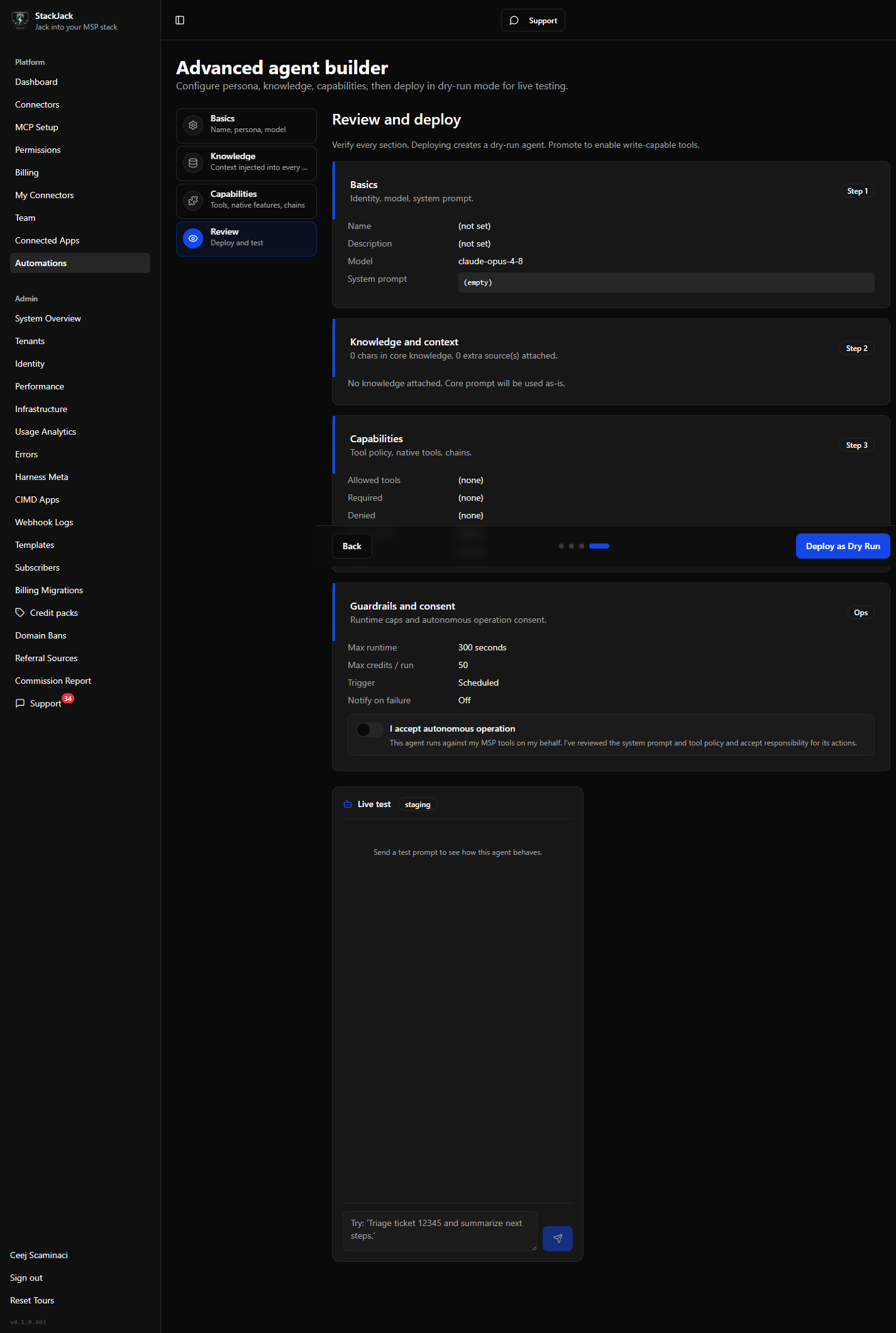 Guardrails step of the builder showing the dry-run toggle and Promote action
Runtime and spend caps
Two per-automation ceilings bound every run:
| Cap | Range | Default | Behavior at the cap |
|---|---|---|---|
| Max runtime | 30 – 3,600 seconds | 300 s | The agent is asked to wrap up and summarize; the run ends as TimedOut. A hard wall-clock backstop also cancels the run even if the agent stops responding, and the platform enforces its own absolute ceiling on any single run. |
| Max credits per run | 0.01 – 500 credits | 50 | The agent is asked to wrap up; the run ends as CreditExhausted. Usage above the cap is never billed to you. |
Both are validated server-side, so no client can create an automation outside these bounds.
Sandboxed execution environment
Each automation executes in a network-restricted environment: the only host it can reach is StackJack's MCP server. It cannot call arbitrary internet endpoints from its execution environment — outbound reach beyond your allow-listed tools is limited to the native Anthropic capabilities you explicitly enabled.
Tool approvals must be auto-allowed (today)
Agents must currently be configured to auto-allow their tools. If a run pauses to request a human approval for a tool call, the run ends as Failed with a message directing you to set the tool policy to auto-allow. Human-in-the-loop approvals — pausing a run until you approve or deny a tool call from the portal — are coming soon.
Transcripts are never stored by StackJack
Run transcripts are fetched on demand from Anthropic when you open the transcript viewer and are not persisted by StackJack. What StackJack stores durably about a run is the metadata described in Run lifecycle and statuses: status, summary (last message), usage counters, and cost.
Auditability
- Every configuration change creates an immutable version snapshot, attributed to the user (or StackJack staff member) who made it.
- Every run records the version it executed, who or what triggered it, and its full cost accounting.
- Every webhook delivery attempt is logged in the webhook receipt log.
- Runs started by StackJack staff on your behalf never charge your credits; the staff attribution is recorded on the run (visible to StackJack operators — your portal does not currently badge these runs).