Bring Your Own Anthropic Key (BYOK)
Enterprise accounts can supply their own Anthropic API key for StackJack's AI automation features. With your key on file, agent activity bills your Anthropic account directly instead of consuming StackJack credits — useful when you already have an Anthropic relationship, negotiated rates, or spend-governance requirements.
Requirements
- Enterprise plan. At least one of your connector subscriptions must be on the Enterprise tier. This is enforced server-side, not just hidden in the UI.
- Owner access. Only the primary owner and co-owners can set, replace, or remove the key.
- An Anthropic API key from your own Anthropic account (keys start with
sk-ant-).
Non-Enterprise accounts do not see the BYOK card at all; non-owner members of an Enterprise account see a read-only note that only the owner can manage the key.
What changes when BYOK is active
| Managed (default) | BYOK active | |
|---|---|---|
| Agent runs | Metered against your credit balance | Billed to your Anthropic account; no credit reservation at all |
| Agent-builder wizard turns | Metered against your credit balance | Not billed at all — wizard turns run on StackJack's own key at no charge to you (they do not hit your Anthropic account) |
| Connector tool calls | Counted against plan allowances | Unchanged — BYOK has no effect on connector billing |
| Credit balance | Consumed by runs | Untouched; any remaining balance simply stays on the account |
With BYOK active, runs skip the credit pre-flight entirely — a low or zero credit balance never blocks a run. Your transaction history still records zero-amount audit entries for BYOK runs so you retain a complete activity trail.
The Credits tab always shows which mode you are in: a "Managed Anthropic credentials" card by default, or a "Your Anthropic key (BYOK)" card with a green "tenant-supplied" badge when your key is active.
Setting your key
- Open Automations → Credits and find the Anthropic API key (BYOK) card.
- Click Set key.
- Paste your Anthropic API key (it must start with
sk-ant-) and click Save.
Your key is stored in Azure Key Vault. StackJack never logs it, never displays it again — not even masked — and the portal has no way to read it back. If you lose track of which key you supplied, rotate it on the Anthropic side and set the new one here.
Replacing or removing the key
- Replace key — opens the same dialog; the new key overwrites the old one.
- Remove key — after confirmation, your account reverts to StackJack-managed credentials. Agent runs and wizard turns are metered against your credit balance again from the next run onward, so check that your balance can cover your automation activity before removing the key. You can set a new key again at any time.
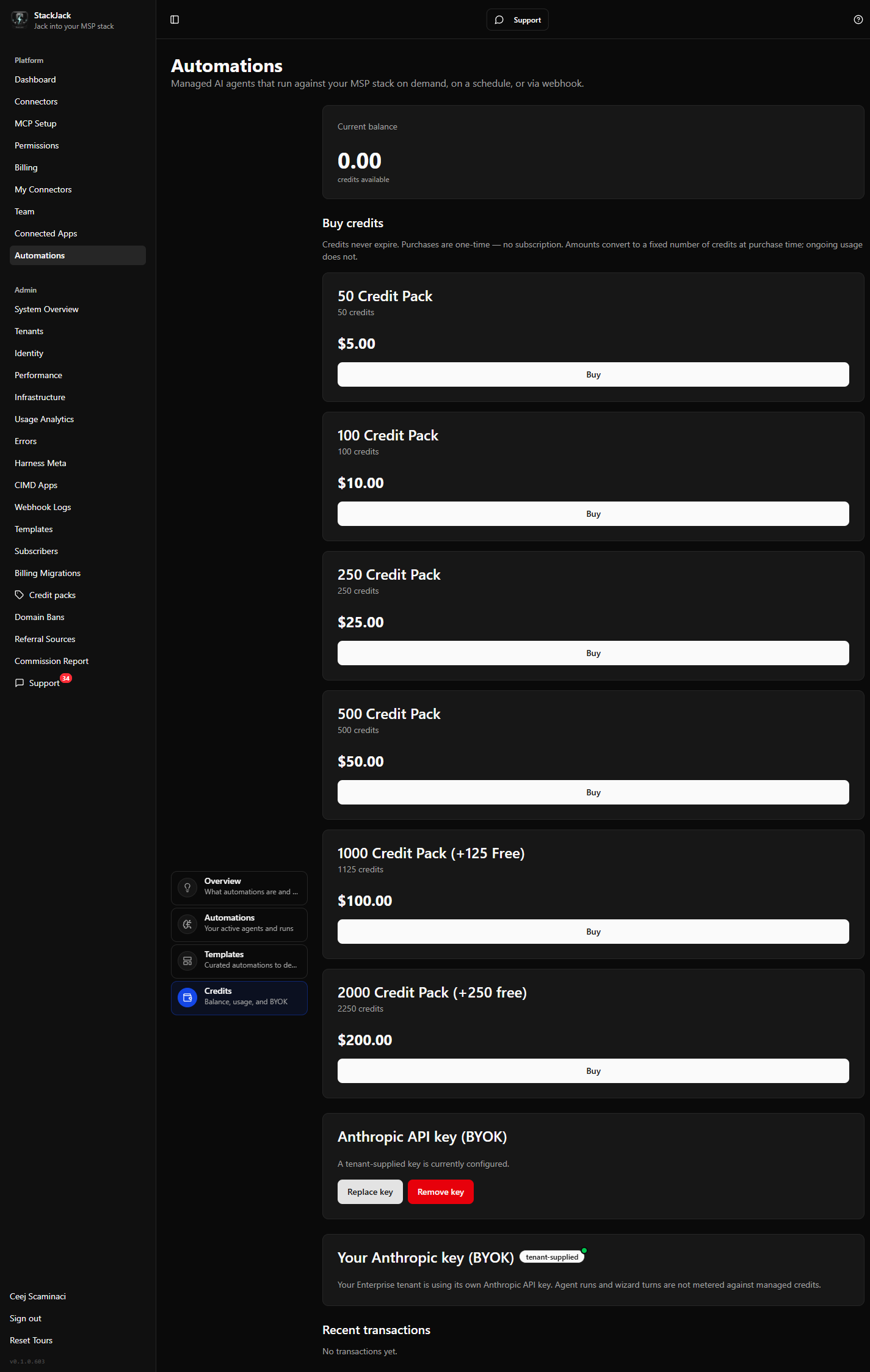 The BYOK management card in the "currently configured" state with the Replace key and Remove key buttons.
Notes
- Your key is also used by StackJack's support AI when it researches your support tickets — with BYOK active, that activity bills your Anthropic account too (it never consumes credits either way).
- If your Anthropic key is revoked or out of quota on Anthropic's side, runs will fail with Anthropic's error — StackJack does not fall back to managed billing automatically while a key is on file. Remove the key to return to managed credits.