Troubleshooting sign-in and access problems
When someone on your team can't get in — or gets in but sees a full-page notice instead of the portal — StackJack always shows a support code starting with SJ-. This page decodes the codes you'll see for sign-in and team-access problems, with the fix for each. (Connector-authorization errors have their own codes and are covered in the Connectors section.)
Two kinds of problem
- Sign-in failed — the person never got past the identity service. They land on the Authentication Error page with an
SJ-AUTH-*code. - Signed in, but restricted — sign-in worked, but their workspace access needs attention. Every portal page shows a full-page notice with an
SJ-ACCESS-*code instead of content.
Both screens include a Contact Support link that pre-fills an email to support@stackjack.io with the support code — and, on the restricted-access notices, also the account name, the signed-in email, and the page (the Authentication Error page happens before sign-in completes, so it can only include the code). Have your teammate use the link rather than paraphrasing the error.
Authentication Error page (SJ-AUTH-*)
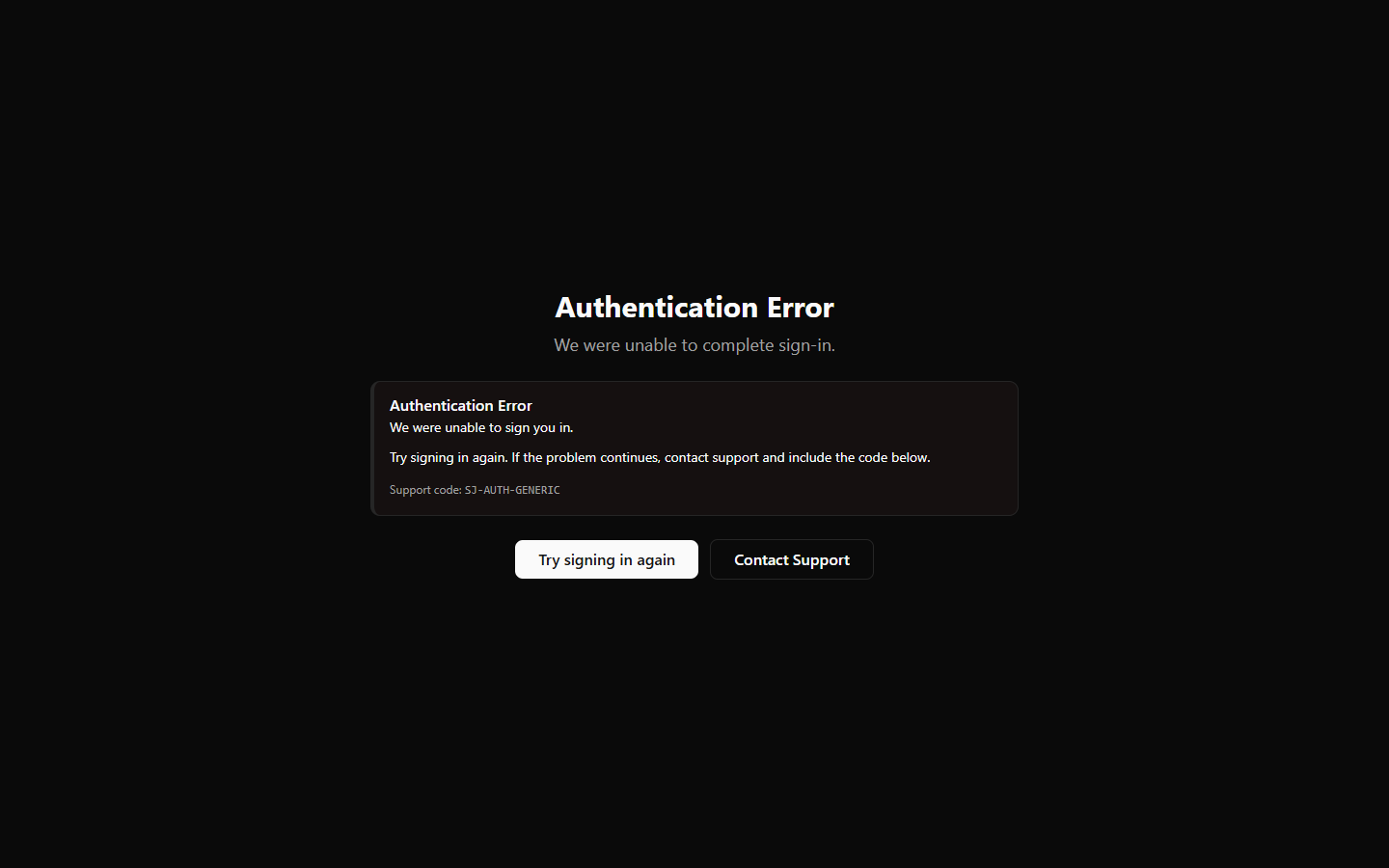 The Authentication Error page showing the support code, the "Try signing in again" button, and the Contact Support link
| Code | What it means | What to try |
|---|---|---|
SJ-AUTH-OIDC-REMOTE-FAILURE |
The sign-in round-trip with the identity service didn't complete | See the common causes below, then Try signing in again |
SJ-AUTH-GENERIC |
Sign-in failed for an unclassified reason | Try signing in again; contact support with the code if it repeats |
Common, benign causes of a failed sign-in round-trip:
- A stale bookmark — the person bookmarked an intermediate sign-in URL instead of the portal itself. Fix: bookmark the portal home page and start there.
- Cookie or tracking blockers — extensions or strict browser privacy settings that block cookies on redirects can break the sign-in handshake. Fix: allow cookies for the portal and identity domains, or try a normal browser profile.
- Sitting on the sign-in page too long — a sign-in started but left idle for more than about 15 minutes expires. Fix: sign in again in one sitting.
If it fails repeatedly across browsers and networks, contact support with the code.
Restricted-access notices (SJ-ACCESS-*)
These appear after a successful sign-in. The person's identity is fine — it's their team access that needs an admin (usually you).
| Code | Notice | Why it happens | The fix (admin action) |
|---|---|---|---|
SJ-ACCESS-AWAITING-APPROVAL |
Awaiting Approval | They joined without an invite (self-registered via an AI-assistant sign-in) and are pending | Approve them: Team → their row → Edit Tools → select tools → Save. Full walkthrough: Approving self-registered members |
SJ-ACCESS-NO-TOOLS |
No Tools Assigned | Their member record has an empty tool list — commonly after a co-owner was demoted, or an admin cleared all tools | Team → Edit Tools → assign tools |
SJ-ACCESS-REVOKED |
Access Revoked | Their membership was deactivated | If intended, nothing. Otherwise Team → Reactivate (on their deactivated row) or send a new invite |
SJ-ACCESS-NO-TENANT |
No StackJack Account Found | Their identity didn't match any StackJack account | Have them try signing in again first. If it persists: they may have signed in with the wrong account/email, or their identity is stranded outside your organization (see below) |
The same problems, seen from the AI-assistant side
A member whose portal shows one of these notices will also find their AI assistant limited: pending or tool-less members can connect but only reach StackJack's built-in status tools, and revoked members are refused outright with a message to ask their admin for a new invite. The stackjack_session_info tool reports the member's status and is the fastest self-diagnosis step.
Stranded identities ("No StackJack Account Found" that won't go away)
If an invited person signed in before opening their invite email — most often through a federated identity provider — their identity can be created outside your organization, where it matches nothing. Symptoms:
- Persistent
SJ-ACCESS-NO-TENANTfor a person you definitely invited. - An invite attempt failing with an error that mentions reconciling the identity — that refusal is deliberate, not a bug.
Fix: contact support@stackjack.io with the person's email. StackJack relocates the identity into your organization; the person then redoes password setup (they'll get a fresh setup email) and signs in normally.
"Signups from this domain are not available"
If someone from your company tries to create a new StackJack account at the signup page and sees "Signups from this domain are not available. Please contact support.", their email domain has been restricted from self-service signups. This is a StackJack-side control (used, for example, against abuse or to route certain domains through sales), and depending on the restriction level it can also block paid-plan provisioning for new accounts on that domain.
What it does not do: it has no effect on your existing account or on signed-in team members.
What to do: if the domain restriction is unexpected, email support@stackjack.io from the affected domain. And remember — coworkers joining an existing account should be invited from the Team page, not sent to the signup form.
Escalation checklist
When you contact support about an access problem, include:
- The
SJ-support code (use the pre-filled Contact Support link where offered). - The affected person's email address.
- What they were doing (portal sign-in vs. connecting an AI assistant) and roughly when.