Automations Every run is inspectable.
No “it ran” mystery. Every execution leaves a persistent record, and you control who is told when a run fails.
Every run is inspectable.
No “it ran” mystery. Every execution gets a persistent record with status, timing, tokens, tool calls, credits, summary, and a transcript you can pull on demand.
| Started | Status | Duration | Tools | Tokens | Credits | Summary |
|---|---|---|---|---|---|---|
| Nov 13 07:00 | ✓ Completed | 47s | 9 | 16,384 | 7 | 12 priority, 3 SLA risk |
| Nov 12 07:00 | ✓ Completed | 52s | 11 | 18,120 | 8 | 15 priority, 1 client impact |
| Nov 11 07:00 | ! Timed out | 120s | 14 | 22,004 | 10 | Hit max runtime, partial summary |
| Nov 10 07:00 | ✓ Completed | 41s | 8 | 14,290 | 6 | 9 priority, clean backlog |
| Nov 9 07:00 | ✓ Completed | 39s | 7 | 13,880 | 6 | 11 priority, 2 new escalations |
Failure emails
Switch on Email me when a run fails, per automation, and pick the address.
Versions and rollback
Every save is recorded as a version. Restore any earlier version as the live setup.
Memory
Switch on Remember across runs and the automation keeps notes between runs. It is off by default.
Run as
Choose whose connector access an automation uses: a service account bound to that automation, or a named member. If that credential is missing, the run is refused.
Owners and administrators can delete a run’s transcript, or set it to delete itself when the run ends.
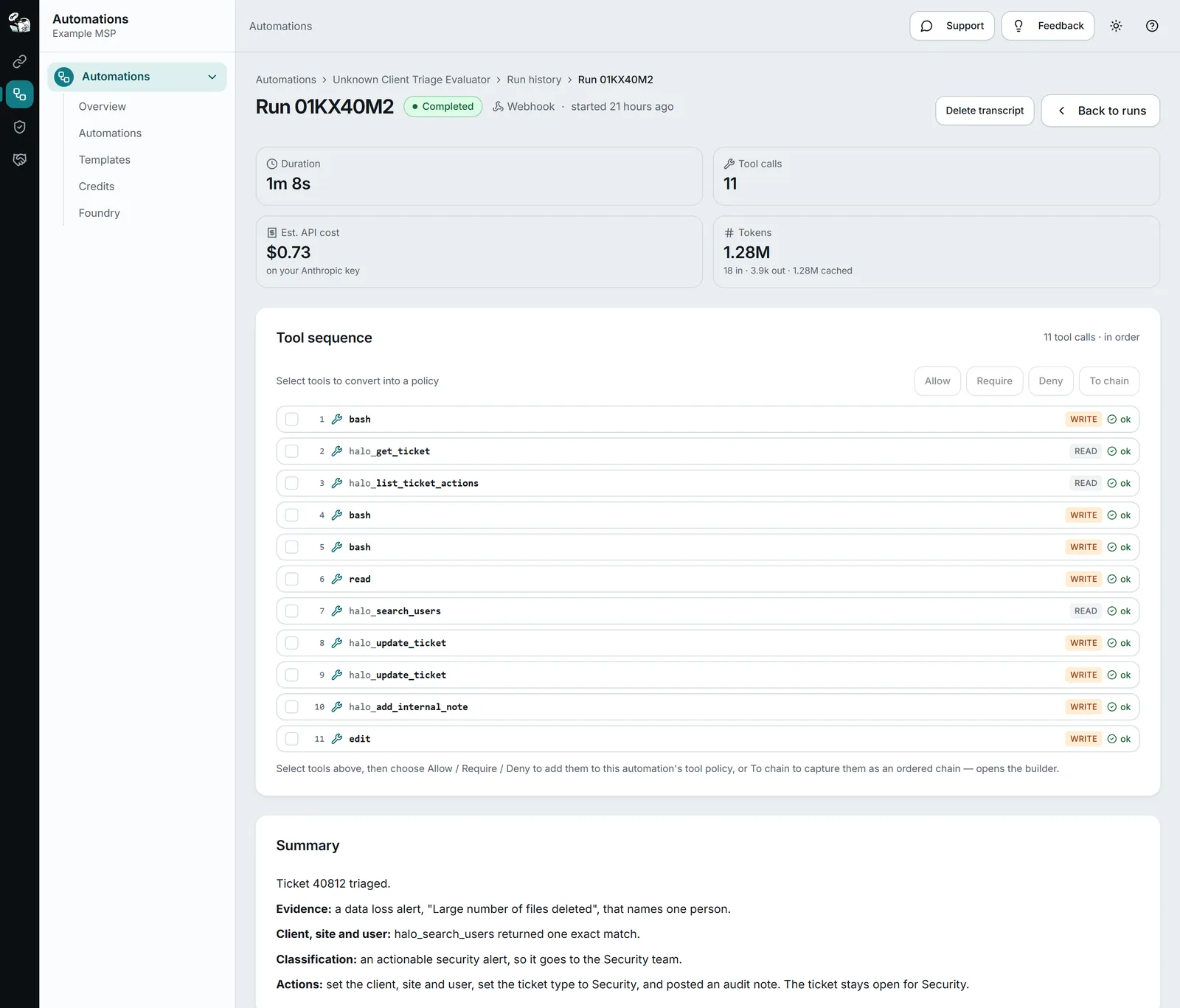
One run, as it is logged.
An illustration of a run log: what was checked, what was called, what it cost and how it ended.
1 credit is $0.10 of usage today.
Questions.
Can I see what an agent did during a run?
Yes. Every run has a record with status, timing, token counts, tool-call count, credits consumed, a summary, trigger payload, and a full transcript you can fetch on demand.
Does StackJack see or store my data?
StackJack does not keep a general copy of your business data. During a run, your connectors’ answers pass through StackJack to the AI model. Each run keeps a record: status, timing, token counts, cost, a summary, the trigger payload and the inputs sent to each tool. The conversation, which can include tool results, is kept so you can review the run; for a run on credits or on your own Anthropic key, Anthropic holds the session too, and a run on your Azure Foundry has no session at Anthropic. Owners and administrators can delete a run’s transcript at any time, or set transcripts to delete themselves when a run ends. Deleting removes the conversation from StackJack and from our AI provider. See the full security brief.
Keep reading.
For depth, in the docs: Run history · Failure notifications · Version history and rollback · Automation memory · Execution identity · Deleting run transcripts
Recurring work, managed.
Automations are available today for every StackJack user. Run them on your Azure Foundry or your own Anthropic key for a flat monthly rate, or buy a credit pack to try one. Packs never expire, and you see real-time usage against your balance as your agents run.