Automations Control makes AI deployable.
IT teams do not need more autonomy. They need more control. Automations are built for supervised rollout: test first, scope the tools, cap the cost.
Control is what makes AI deployable.
IT teams don’t need more autonomy. They need more control. Automations are built for supervised rollout, not magic-button hype.
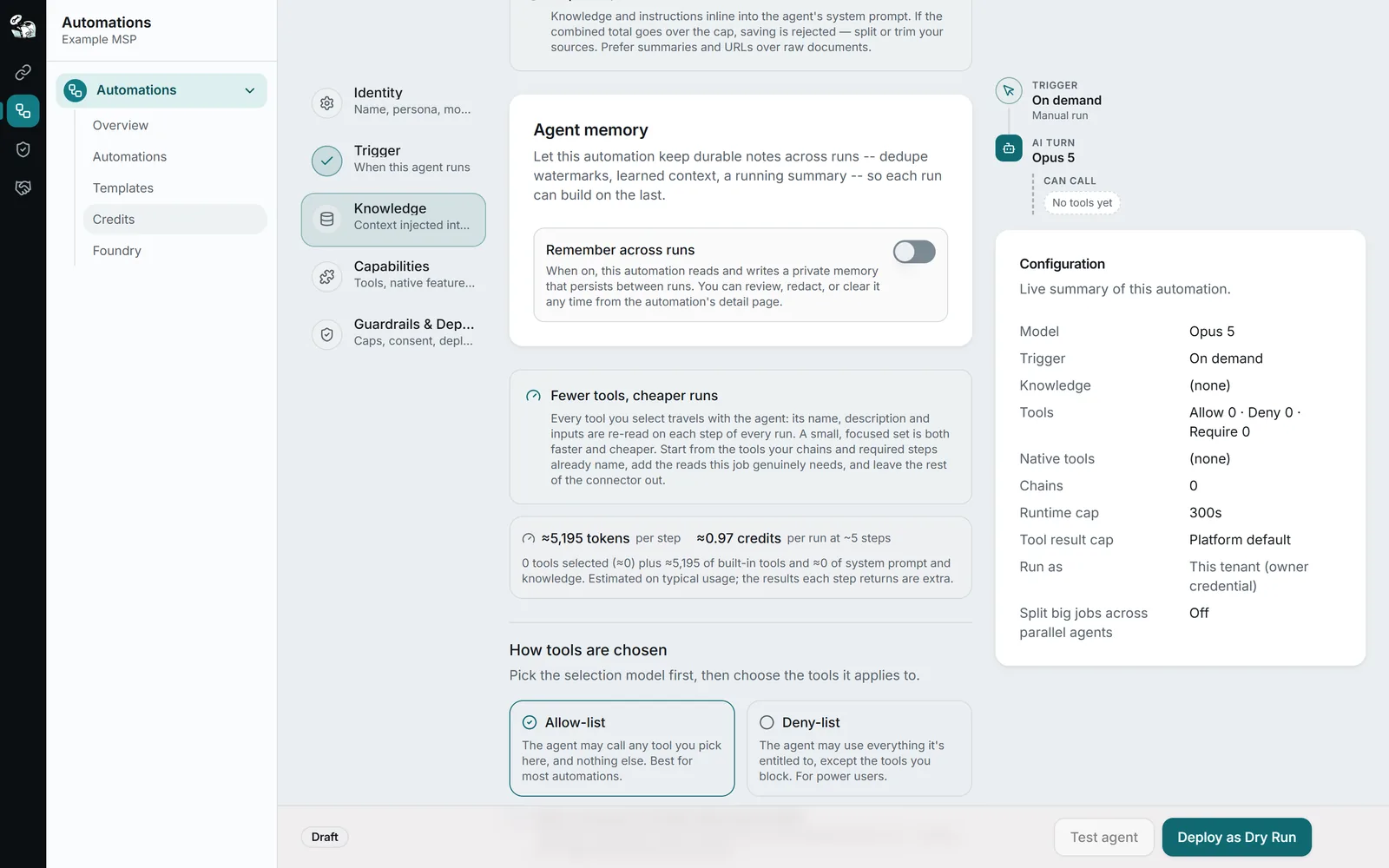
Dry-run mode
In dry-run, read tools run for real so the agent works from live data. Every write is blocked before it reaches your system, and the run records what the agent would have called. Review that, then promote the automation when you trust it.
promote-when-ready workflow
Explicit tool scoping
Pick the tools an automation may call. Allow-list mode, the default, exposes only what you select. Deny-list mode exposes everything you are entitled to except what you block. Every tool is checked against your connector subscriptions and plan when you save.
server-side, not cosmetic
Tool policy & chains
Beyond a simple allow-list: tri-state policy (allowed / denied / required), plus optional ordered tool chains for multi-step workflows.
allowed · denied · required
Runtime & credit caps
Max runtime and Max credits per run are enforced at runtime, not reported after the fact.
Out of credits shows on the run
Consent & sync checks
A run is blocked if consent has not been accepted. If a later edit has not synced yet, the run uses the last synced version and the Portal shows a sync warning.
A sync warning shows in the Portal
Webhook hardening
Per-agent signed secret, payload size cap, 10/min rate limit, and payload mode control: full, selected fields, or none.
secret rotates per agent
Fixed steps around the AI
Add steps that run on every run, in the order you set. Before the run: read a record from a tool, change something (up to 3 steps, each needs your approval tick), or ask an AI model one question and pass the answer in. After the run: read-only checks that record a result and never change the run’s outcome. Steps that read use your connector allowance, not credits.
before and after every run
Approve risky steps in a test run
Switch on live approval and keep dry-run on. A destructive tool call pauses the run and you approve or deny it on the run page, with a reason if you like. An approved call runs for real, so use this when you are watching. Production runs do not pause for approval.
test runs only
Questions.
What does dry-run mode actually do?
In dry-run, read tools run for real so the agent works from live data. Every write is blocked before it reaches your system, and the run records what the agent would have called. That lets you review transcripts and build trust before you promote an automation to live runs with write access.
Which tools can an agent access?
Only the tools you explicitly pick when authoring the agent, and only if those tools are available via your connector subscriptions and plan. Each agent gets its own scoped MCP credential, so one agent cannot “borrow” another agent’s access surface.
How are webhook endpoints secured?
Each webhook-triggered agent gets its own signed secret baked into the URL. There’s a per-agent rate limit (10 / minute), a payload size cap, and three payload modes: none (prompt-driven), full payload, or selected fields. You control exactly what context the agent sees.
Keep reading.
For depth, in the docs: Guardrails and safety controls · The advanced builder
Recurring work, managed.
Automations are available today for every StackJack user. Run them on your Azure Foundry or your own Anthropic key for a flat monthly rate, or buy a credit pack to try one. Packs never expire, and you see real-time usage against your balance as your agents run.