AI Governance What it reads, and what it finds.
AI Governance reads the AI vendors, Microsoft 365, cloud platforms and security products you already pay for, then adds installs only where you need them.
It connects to what you already run,
from a key to a computer.
You rip nothing out. StackJack reads the AI vendors, Microsoft 365, cloud platforms and security products you already pay for, and on Business it can propose changes in your AI vendor accounts for an administrator to approve. You do not need every source. Start with what you already pay for, add coding tools next, and add installs last. Every source finds AI use on every plan. Some need Pro or Business to scan text or to control AI use.
| Way | What it sees | Effort | Plan it needs |
|---|---|---|---|
| AI vendor admin accounts: Anthropic, OpenAI, ChatGPT Enterprise, GitHub Copilot | Usage, cost and who did what in the vendor account. With an enterprise key it can also see chats and sessions. | Low: paste a key | Any plan. The three admin connectors are included with a paid plan. |
| Microsoft 365 Copilot | Copilot use by person and app, and Copilot conversations. | Low: an administrator gives consent | Any plan. Scanning conversations with rules needs Pro. |
| Azure OpenAI, Foundry and API Management, through an Event Hub | Which model was called, when, by which application, and how many tokens. | Medium | Any plan |
| Gemini activity and conversations, Vertex AI, AWS Bedrock | Gemini use in Google Workspace, Gemini conversations from Google Vault, and model calls made in your own Google Cloud or AWS account. | Medium | Any plan. Scanning text needs Pro. |
| Browser and gateway products: Island, Cloudflare AI Gateway and DefensX | AI use seen by your browser or gateway product: facts only. | Low: use a connection you may already have | Any plan |
| Security products: Microsoft Defender, DNSFilter, Cisco Umbrella, ThreatLocker, SentinelOne, CrowdStrike, Huntress, Bitdefender GravityZone and ESET | AI apps and sites the product blocked or saw: inventory facts, never prompt text. | Low: use a connection you already have | Any plan |
| StackJack’s own automation runs and tool calls | Your automations’ runs and the calls through StackJack’s own tools. StackJack creates these sources. | None | Any plan. Scanning tool calls follows your plan. |
| Telemetry from coding tools: Claude Code, Codex, GitHub Copilot in an editor, Gemini CLI | Each model call and tool call. | Medium | Any plan. Scanning text needs Pro. |
| Browser extension | The AI websites staff use in Chrome, Edge and Firefox. | High: roll it out to every browser | Any plan finds sites. Pro and higher controls. |
| Endpoint agent (Windows) | AI apps and tools on each computer, and the managed AI settings. | High: roll it out to every computer | Any plan finds AI. Pro and higher controls it. |
| Claude Inference hooks | Every Claude Enterprise request, before Claude acts on it. | Medium | Business |
| AI gateway | Every call to OpenAI, Anthropic or Azure OpenAI that goes through StackJack. | Medium | Business |
| MCP proxy | Every tool call to a remote MCP server you approved. | Medium | Business |
- The endpoint agent runs on Windows.
- The AI gateway does not serve Gemini CLI.
- A Claude Team organization has no admin key to create. Use the coding-tool telemetry or the browser extension instead.
Find the AI
nobody told you about.
The AI tool inventory lists every AI tool your organization uses. StackJack adds an item the first time it sees one. An administrator then approves or denies it. The inventory is the base of your AI register for clients, auditors and insurers.

Everything AI, in one inventory
Coding tools, AI web apps, models and model deployments, API keys, IDE and browser extensions, MCP servers, agents and built-in AI features.
Items come from the activity StackJack receives, your vendors’ admin consoles, Microsoft 365, the browser and network products you connected, a request from your staff, or you.
Approve it or deny it
A new item starts as New, needs review and raises an “Unapproved AI tool” alert. An administrator approves or denies it. Use of a denied item raises a “Denied AI tool in use” alert.
StackJack builds no score or ranking of people from this.
A queue for tool requests
Anyone on your staff can ask for an AI tool or an MCP server, with a reason. An administrator decides with one click. The person who asked is told the decision.
What each item records
Vendor, owner, where it was seen, the contract you hold with the vendor, whether training on your data is switched off, the kinds of data it handles, who used it in the last 30 days and an estimated cost when a figure exists.
AI can suggest an EU AI Act risk class. It is labelled as a suggestion until a person confirms it.
From a finding to a fix
The Act menu on an inventory item, an alert or a finding opens a ticket in your PSA, asks the approvers for a decision, or proposes a block of a web app’s domain in DNSFilter, Cloudflare or Cisco Umbrella.
A fix only proposes. An administrator types a confirmation phrase, with a second factor, before anything changes.
Need to see more?
Add the extension and the agent.
Most of the picture comes from the connections above. For those who need the rest, two installs see what a vendor report cannot. Both find AI on every plan. On Pro and higher both also control it. You roll them out with the tools you already use to manage computers. Your name and icon can replace ours on the agent.
Chrome, Edge and Firefox
- Finds the AI websites your staff use. Each visit appears in your inventory, so you can approve or deny it.
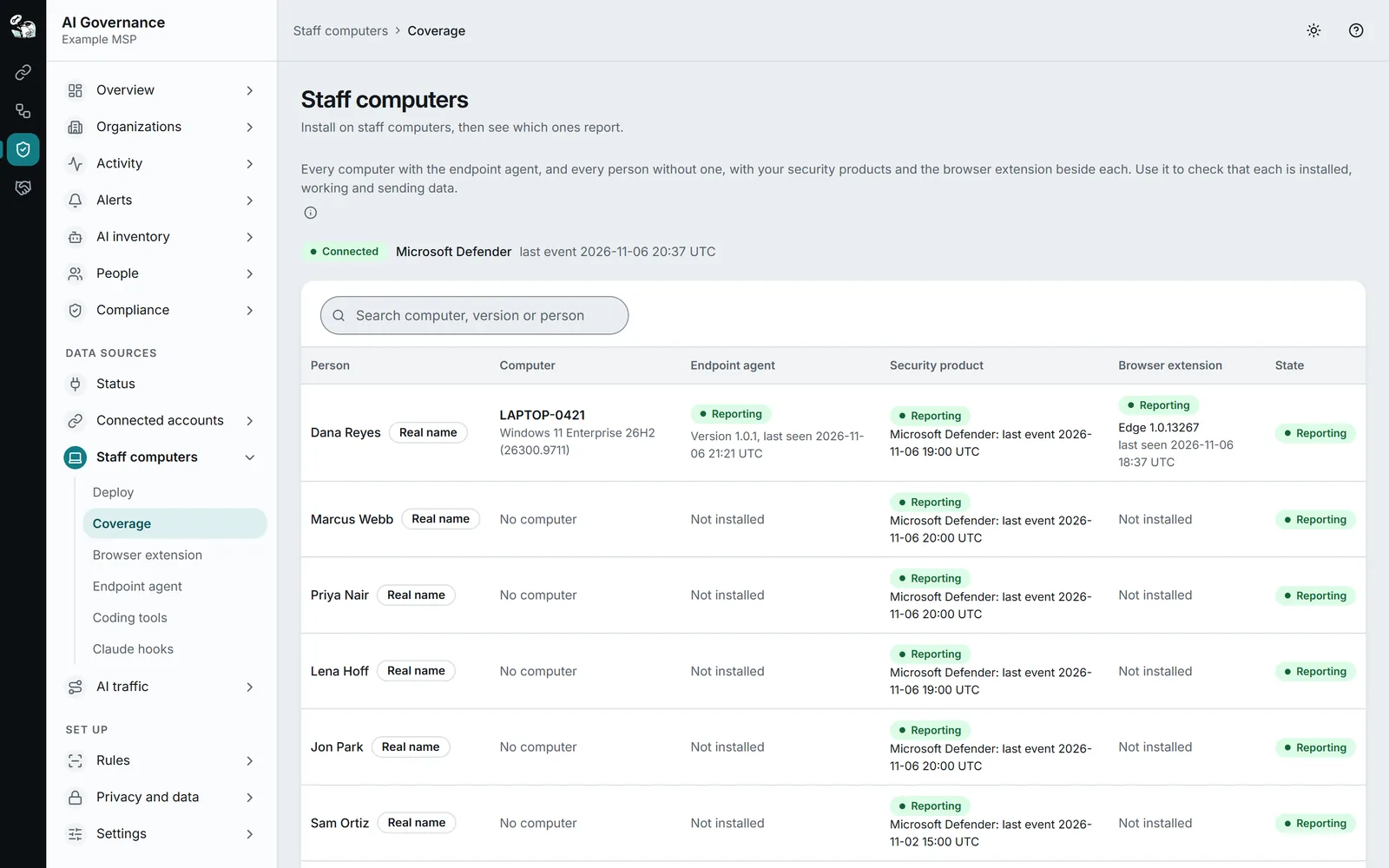
- Shows coverage: which computers have the extension, by browser and version, and when each last reported.
- Alerts you when it can no longer read an AI site.
- Allows, warns about or blocks AI sites you have not approved.
- Allows, warns about or blocks personal accounts on AI sites.
- Checks each prompt, paste and plain-text file against your data-loss rules, and can allow, warn or block it.
- Masks text in the prompt box on a site StackJack has marked safe to change. Where masking is not possible, your mask fallback setting applies, which is a block unless you change it.
- Can record the AI’s answers, at a capture level that keeps text.
- It reports a visit only to a site on StackJack’s reviewed list of AI sites, or on your approved or denied list. It never reports other browsing.
- It never stores a prompt, a paste or a file on the computer.
- If it cannot reach StackJack, it lets the send through and keeps a note, with no text, that the send was not checked.
It reads the page, to check sends and accounts, on ChatGPT, Claude, Gemini, Microsoft Copilot, Perplexity, DeepSeek and Grok. Install it with Intune, Group Policy or one PowerShell script. Edge uses the Chrome Web Store listing.
A small service on each Windows computer
- Finds installed AI apps, AI browser extensions, the local MCP servers that tools such as Claude Code, Cursor, Codex, Claude Desktop and Gemini CLI start, and the AI sites the computer looked up.
- Keeps your managed AI settings in place, and puts them back when someone changes them.
- Reports the computer name and Windows version, so you can tell computers apart.
- Local AI tool control: your approvals and data rules apply to each tool call that Claude Code, Cursor, Codex, Claude Desktop and Gemini CLI make.
- The paste check, with the same data-loss rules as everywhere else.
- AI app control and AI site control: report, warn or block the ones you have not approved.
- Your own name, icon and tray text, and your own package signature.
- It does not read web pages, open encrypted traffic or act as a proxy. Only the browser extension reads text inside a page.
- It uses no driver and does not log keystrokes. The paste check watches the two paste shortcuts only, and only while an AI app is in front.
- It does not scan files, and it does not stop AI work when StackJack is slow: it lets the action through and records that it was not checked.
Install it with your RMM, Intune or Group Policy as a signed Windows installer. An uninstall code can lock removal. Each agent checks the signature of an update before it runs.
Questions.
Do I have to install anything?
Not for the scan, and not for most sources, which use connections and keys you already have. The browser extension and the Windows endpoint agent are there for those who need to see more.
Does the browser extension read all of my browsing?
No. It reports a visit only to a site on StackJack’s reviewed list of AI sites, or on your approved or denied list. It never reports any other browsing.
Does the endpoint agent log keystrokes?
No. It is an ordinary Windows service with no driver. The paste check watches the two paste shortcuts only, and only while an AI app is the window in front.
Does AI Governance collect anything when I turn it on?
No. A new organization collects nothing until you add a source. For staff in the EU or the UK, collection also waits until you record how you told your staff.
Keep reading.
For depth, in the docs: Choose how to see AI use · The AI tool inventory · The browser extension · The endpoint agent
Know what AI is doing.
AI Governance is in public beta. Start free, add one source, and see which AI tools your people use.